

So how did we grow our client’s site by 600 organic clicks even though it lost 3,400 impressions?
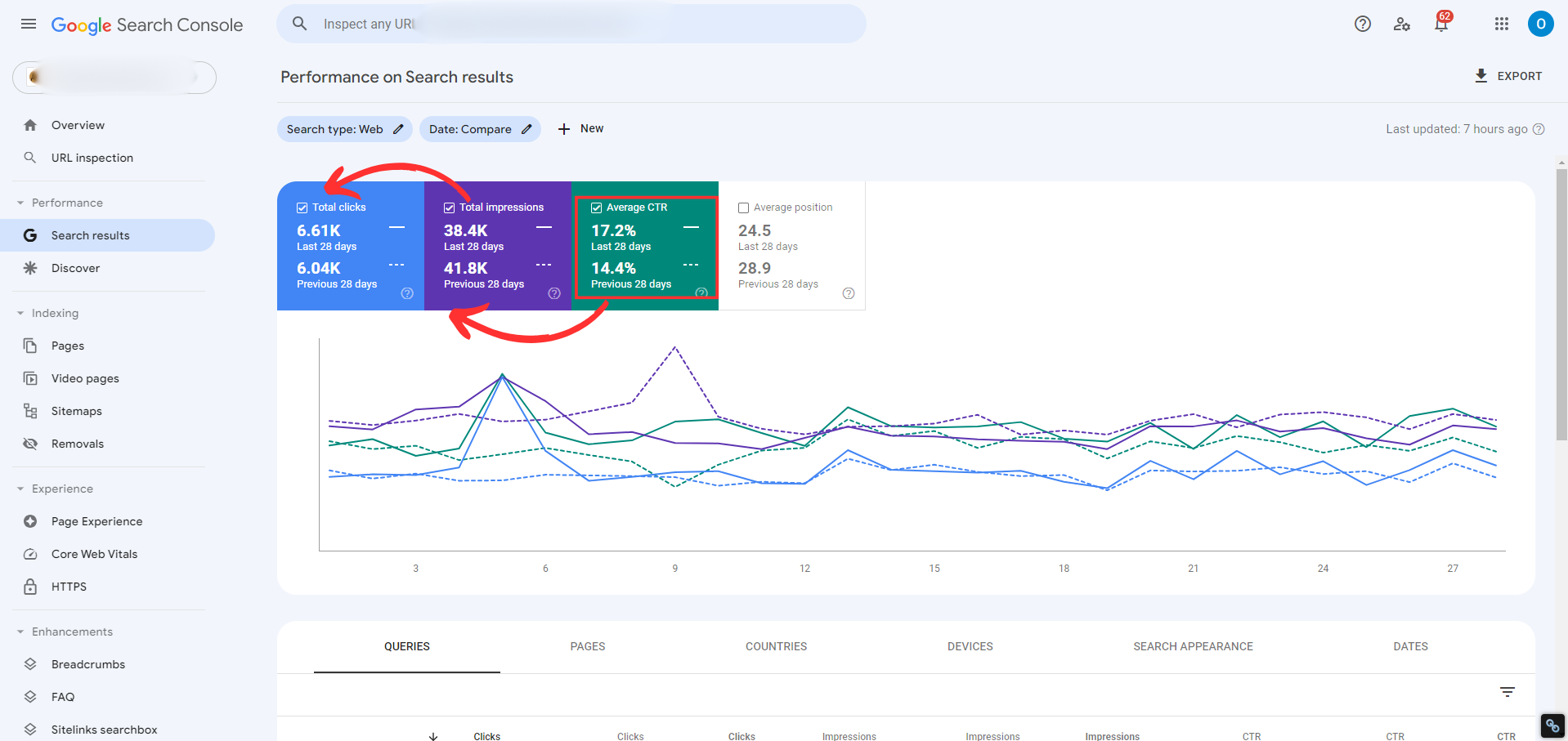
In the image:
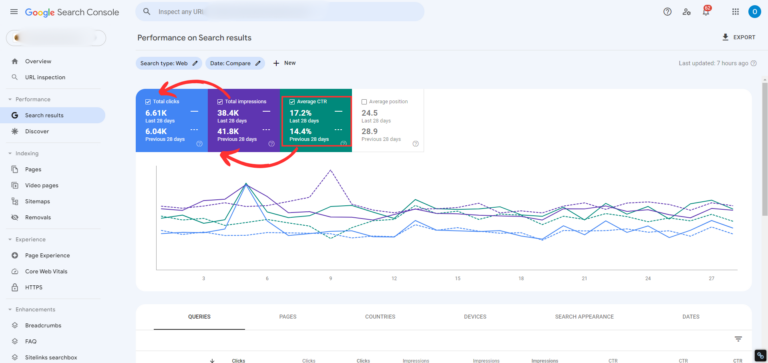
A snapshot of a client’s service website with a relatively large amount of content, which recently got focused attention on CTR.
The comparison is current month vs. previous month.
Previous month
Almost 42K impressions.
6,044 clicks.
Click-through rate of 14.4%.
Current month
About 38.4K impressions (a drop of 3,400 impressions)
6,610 clicks
Click-through rate of 17.2%.
A total increase of more than 600 organic clicks last month compared to the previous month,
even though the site lost 3,400 impressions.
When a site loses impressions but gains clicks, there’s only one reason: its CTR went up, meaning more people are clicking on it in the search results.
You don’t always need to add a lot of content to grow traffic.
So how do you do it?
One: Improve your titles and make sure they’re inviting. No more “My Site: Home Page”. Make sure each title contains a keyword, but is also intriguing and stands out from the other titles in the search results.
Two: Same goes for meta descriptions. People read them, and they’re stingy with their clicks. You already earned the impression, so make sure you earn the click too. Whoever reads your page description should think, “Yep, that’s exactly the solution I need.”
Three: Work on moving pages that rank a bit far back (on pages two and three, which never get clicks) onto page one by building out content around them and adding internal links + backlinks pointing to those pages, using those anchors (keywords).
The complete checklist for increasing CTR:
- ✅ Add FAQ sections to your pages: Questions and answers around the keyword can win you more real estate across many different search results pages. Don’t forget to add schema!
- ✅ Use storytelling in your meta descriptions: Instead of standard descriptions, write a mini story or a compelling narrative that includes the main keyword. This sparks curiosity and gets people to read more on your pages.
- ✅ Add emojis to titles and descriptions 💎 : Emojis really stand out from the rest of the regular search results. They eat up quite a few characters, but Google allows them and they help a lot with grabbing attention.
- ✅ Make sure you answer the question directly: Put the short, direct answer to the search query you’re targeting in both your titles and meta descriptions. This gives users the answer they’re looking for right away and tempts them to click for more details.
- ✅ Turn your snippets into click magnets with power words: Research power words and work them into your titles and descriptions: “free”, “guide”, “best”, “tips”, “why”, “how”, and so on.
- ✅ Optimize the page to win snippets and position zero (Rich Snippet) : Rich results: if your page doesn’t naturally qualify for a rich snippet, find a way to add content such as reviews, a direct answer to the question in the first paragraph, or comparison tables that you can wrap in Schema.org markup and earn a position zero result for. A result like that shows up first and wins you a lot of clicks.
- ✅ Use numbers: Add specific numbers and percentages to your titles and descriptions. For example, “7 Proven Strategies to Increase Traffic in 2024”. Data and numbers always build credibility.
- ✅ Put your value proposition right in the title or description: State clearly what makes your content or offer unique. If you have something nobody else has, write it out and set yourself apart from competitors.
- ✅ Include the current year in titles and descriptions (2024): Update your titles and descriptions regularly so they don’t go stale and so they signal to searchers that the content is current and relevant. You’d be surprised how much content on your site still says 2023.
- ✅ Add calls to action (CTAs) to your descriptions : End every meta description with an intriguing call to action, such as “Click to find out why 10,000 new users trust us every month”.
- ✅ Run as many A/B tests as you can: Sometimes what works for one keyword won’t work for another, and the same goes for one niche versus another. Put a monthly task on your calendar to check the CTR of a set of pages you’ve chosen, and swap out their titles and descriptions to see what moves the needle until you find the formula that works for you.


