

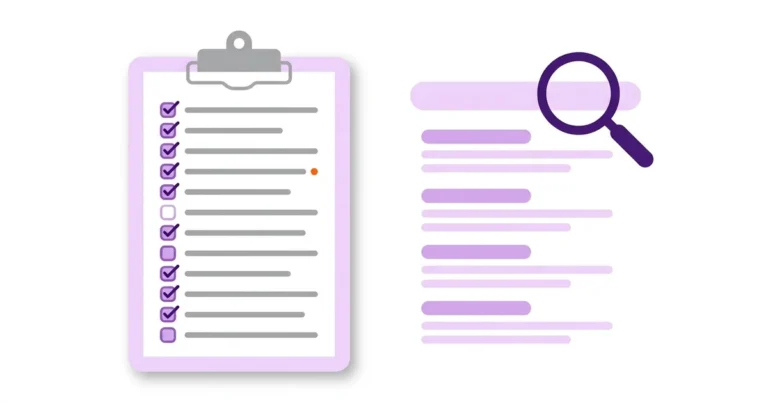
Don’t write a single word of website content without briefing it against this checklist first. It has 15 items. Send it to your SEO or content person and you’ll see your pages start getting indexed and ranking the way they should. It also saves you the time of publishing dead-weight pages that never get indexed.
A content brief is the step that comes before writing SEO content: you check what Google and AI engines already show for the query, which format matches search intent, what value you offer that competitors don’t, and which pages will link to the new page. The DigiAssets checklist has 15 items, and 4 of the first 5 happen before any writing starts.
- 96.55% of pages in the Ahrefs index get zero traffic from Google, based on a sample of about 14 billion pages (Ahrefs, December 2023)
- 3 main reasons identified by the study: no demand for the query, no links pointing to the page, and a mismatch with search intent. You check all three before writing
“Writing without a brief won’t get you rankings. It doesn’t matter how good a copywriter you are.”
Omri Kfir, Co-founder, DigiAssets
What do you check in the search results before writing a word?
The first three items are done by eye, looking at Google’s results page and at ChatGPT: who ranks, in what format, and which questions all the top results answer. This is the foundation of the brief. Without it, everything else is guesswork.
1. Go to the SERP and check the query yourself
Don’t cut corners. Open the results page, both Google and ChatGPT, and look at who’s there. If the entire first page is huge brands and there isn’t a single site our size, is the query still worth targeting?
2. Set the content intent before the structure
Informational, commercial, comparison? What do you see in the results? The format Google shows for the query right now is the format you need to follow, not the format you’d like to present.
3. Build an outline from the top five search results you get
Which headings show up on all of them? Which question appears on every one? Treat those as the price of entry.

What needs to be ready before writing, beyond the structure?
The next two items are the difference between a page that copies competitors and a page that adds something: value nobody else has, and internal links waiting for the page before it even goes live.
4. What do we have that they don’t?
For example, a calculator? A real-world case? An internal number or data point? Without that, we’re not adding any added value for the reader.
5. The most important step: internal links ready before publishing, not after
Which existing pages link to the new page, and with what anchor text. Orphan pages have a hard time earning rankings.
So 4 of the 5 steps I described here happen before writing. Writing is the easy part… and it’s also the only part most people actually do.
You need to understand how the content you write fits the framework search engines work with, and whether it will meet their criteria.
Which decisions do you lock in before opening a doc?
The next four items are decisions, not writing: which follow-up questions the page covers, whether you already have a page like it, where the reader goes after reading, and who signs the content.
6. Collect the reader’s follow-up questions
Every query comes with follow-up questions. Look at “People Also Ask” in Google, ask ChatGPT the same query and see what it expands on. Each of those questions is a potential heading or FAQ. A question that shows up in both Google and ChatGPT goes on the page, no debate.
7. Check that you don’t already have a page for the same intent
Run a site: search on your domain with the keyword, and check in Search Console which pages already get impressions for the query. Two pages targeting the same intent compete with each other (Keyword Cannibalization). If you already have a page like that, it’s usually better to improve the existing page than to create a new one.
8. Decide where the reader goes after they finish reading
Content without a destination brings traffic, not customers. Decide in advance which page the reader moves to, a service page, product, form or community group, and what action you expect from them. If the page has no business-related destination, ask yourself why you’re writing it at all.
9. Decide who signs the content and what experience they bring
Google’s same helpful content guide asks a direct question: is it clear to readers who wrote the content? Decide in advance who signs it, and which of their experience goes into the text: a case, a decision, a mistake. A copywriter without experience in the field needs to interview someone who has it (E-E-A-T, Experience, Expertise, Authoritativeness, Trust).
What goes into the text so Google and AI engines understand it?
The next four items set the shape of the text before it’s written: where the answer sits, how the headings are phrased, where every number comes from, and which visual only you have.
10. Write the direct answer before anything else
The first paragraph answers the query in 40 to 60 words, with no intro and no link. In our experience, this is the part that’s easiest to pull into a snippet and a citation in AI engines. If you can’t phrase the answer in one sentence before writing, the brief isn’t finished.
11. Phrase every H2 as a question the customer actually asks
Take the questions from items 3 and 6 and turn them into headings. “What is X and who is it for?” beats “Our advantages”. A heading phrased as a question shows both the reader and the search engine exactly what the section answers.
12. Record a source for every number before it goes into the text
Every data point on the page needs a primary source: the study itself, not an article that quoted it. A number without a source gets deleted. This matters most when the draft is written with AI, which makes up data with total confidence.
13. Plan one image or table competitors don’t have
A real-world screenshot, a comparison table or a chart you built yourself, not a stock photo. Every image gets an English file name that describes what’s in it, ALT text and dimensions. A table with your own data is also the fastest way to cover item 4.
What do you do on publish day and after?
The last two items cover what most people skip: how the page looks in the search results, and what to check in the days after publishing to know whether Google indexed it at all.
14. Write the Title and Meta Description before the text
A Title of 50 to 60 characters with the keyword, and a Meta Description of 150 to 160 characters that promises value instead of summarizing. If they’re hard to write, that’s usually a sign the page’s angle isn’t sharp yet.
15. Set when you check indexing, and what to do if the page doesn’t get in
After publishing: run URL Inspection in Search Console and request indexing. Google says indexing can take up to a week or two, so check after 3 days and again after 14 days. A page that doesn’t get indexed goes back to items 1 through 5, not to a rewrite.
Have a question about the content on your site? Talk to us →
What does the full checklist look like when you hand it to your content writer?
This is the short version of all 15 items in one table. Copy it as is and attach it to every brief that goes out to a writer, so the briefing happens before the writing, not after.
| Item | Stage | Check question |
|---|---|---|
| 1. Check the SERP by eye | Before writing | Who’s on the first page in Google and ChatGPT, and is there a site our size there? |
| 2. Search intent | Before writing | Informational, commercial or comparison, and which format does Google show right now? |
| 3. Outline from the top 5 results | Before writing | Which headings and questions show up in all of them? |
| 4. Added value | Before writing | What do we have that they don’t: a calculator, a real-world case, internal data? |
| 5. Internal links | Before publishing | Which existing pages will link to the new page, and with what anchor text? |
| 6. Follow-up questions | Before writing | What shows up in People Also Ask, and what does ChatGPT expand on? |
| 7. Cannibalization | Before writing | Do we already have a page targeting the same intent? |
| 8. Reader’s next step | Before writing | Which page does the reader go to next, and what action do we expect them to take? |
| 9. Byline | Before writing | Who is the author, and which of their experience goes into the text? |
| 10. Direct answer | During writing | Does the first paragraph answer the query in 40 to 60 words? |
| 11. Headings as questions | During writing | Is every H2 phrased as a question the customer actually asks? |
| 12. Sources | During writing | Does every number have a primary source? |
| 13. Original visual | During writing | Is there an image or table competitors don’t have, with ALT text and a file name? |
| 14. Title and Meta | Before publishing | A Title of 50 to 60 characters and a Description of 150 to 160? |
| 15. Indexing check | After publishing | Is the page indexed after 3 days, and does it have impressions after 14? |
FAQ
Why isn’t the content I wrote getting indexed or getting traffic?
According to an Ahrefs study, 96.55% of pages get no traffic from Google at all, mostly because there’s no demand for the query, no links point to the page, or the content doesn’t match search intent. You check all three in the content brief, before writing.
What’s the most important item on the checklist?
Internal links ready before publishing, not after. At DigiAssets we decide up front which existing pages will link to the new page and with what anchor text, because orphan pages struggle to rank.
What if Google’s entire first page is taken by big brands?
Ask whether the query is still worth targeting. If there isn’t a single site your size on page one, you’re usually better off picking a more specific query where you have a real chance to rank.
How do you know which content format to write?
Look at the format Google currently shows for the query: a guide, a list, a comparison or a product page. That’s the format to follow, even if you’d rather present something else.
What do you do when the site already has a page on the same topic?
It’s usually better to improve the existing page than to create a new one, because two pages targeting the same intent compete with each other. Check in Search Console which page already gets impressions for the query, and start there.
Ready to see where your next customers will come from?
- Analysis of your current organic performance
- 3 immediate opportunities identified
- No commitment


